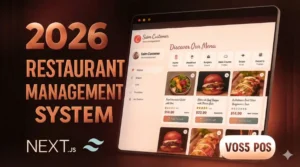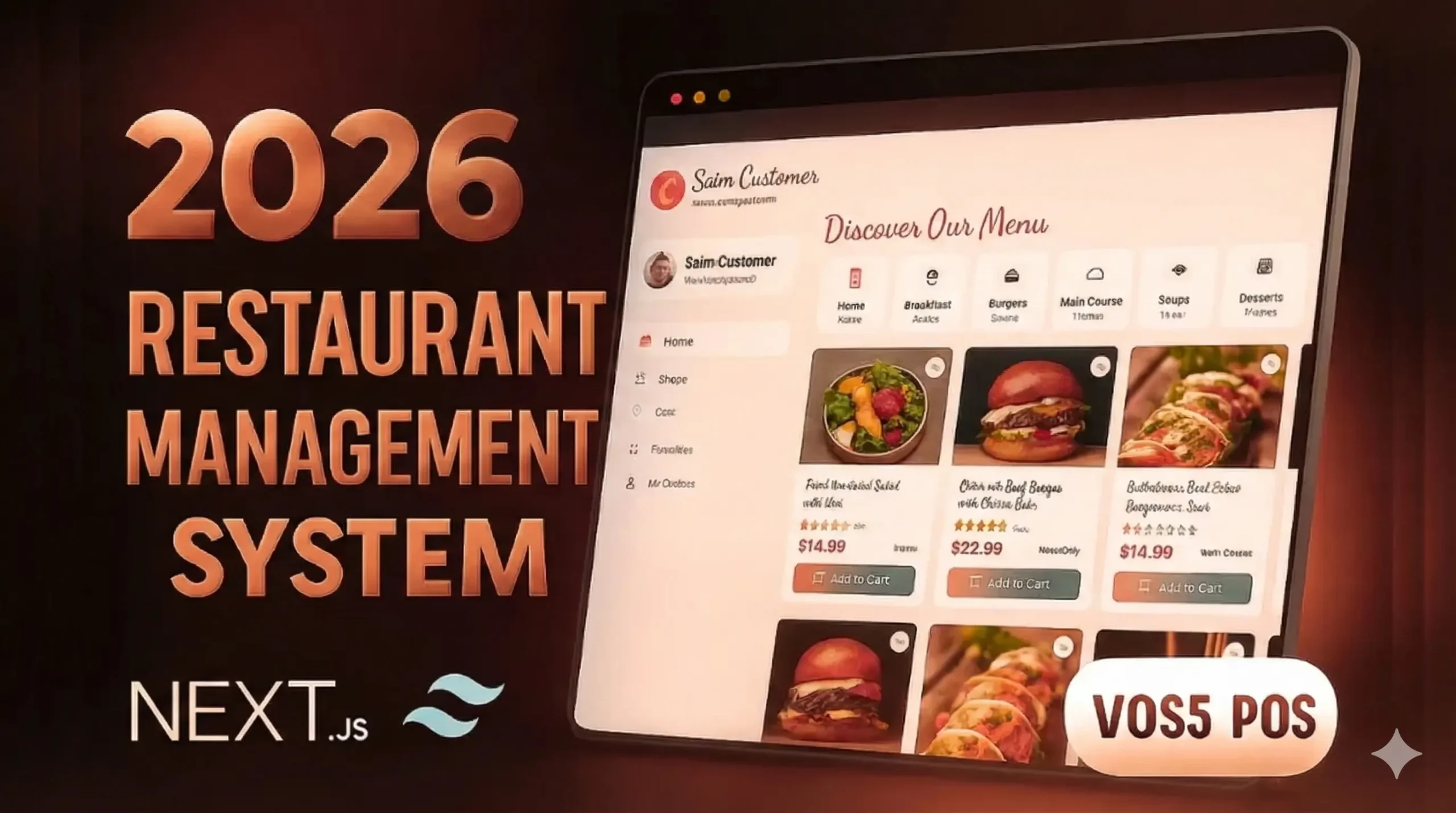
Looking for a restaurant management system project source code that’s modern, responsive, and easy to set up? I built one using Next.js, React, and Tailwind CSS, complete with role-based dashboards — and it’s available for just ₹149.
Why Every Restaurant Needs Digital Management
Manual billing
- Many restaurants still write bills by hand or use basic calculators. This slows everything down, especially during rush hours. Small calculation mistakes turn into arguments with customers, and staff feel pressured when the counter gets crowded
Missing inventory
- Most owners don’t know their exact stock level. Ingredients suddenly run out in peak hours, or extra items expire in storage. By the time the problem is noticed, money is already wasted. This is very common in places without a proper restaurant management project.
Order mistakes
- Orders are usually taken verbally or written on paper and passed to the kitchen. This leads to wrong items, missed add-ons, or duplicate orders. The result is food waste, angry customers, and tension between staff.
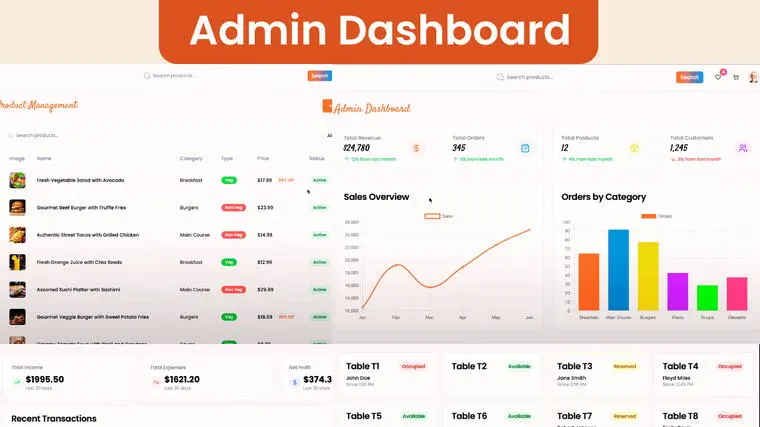
That’s where this online restaurant management system project makes life easier — giving every role (Admin, Customer, Accountant, Delivery, etc.) their own dedicated dashboard.
My Story: How I Built This Project
As a full-stack developer, I saw that most “restaurant management projects” online were messy, outdated, or too academic to be useful.
So, I designed a real-world project — something students could submit, freelancers could demo to clients, and restaurant owners could use right away.
I combined Next.js + React + Tailwind CSS to create a fast, professional UI. Every role has clear navigation and permissions, and the entire system runs with backend — powered entirely by NodeJS and for database I Used MongoDB Atlaas.
What’s Inside the Restaurant Management System Project
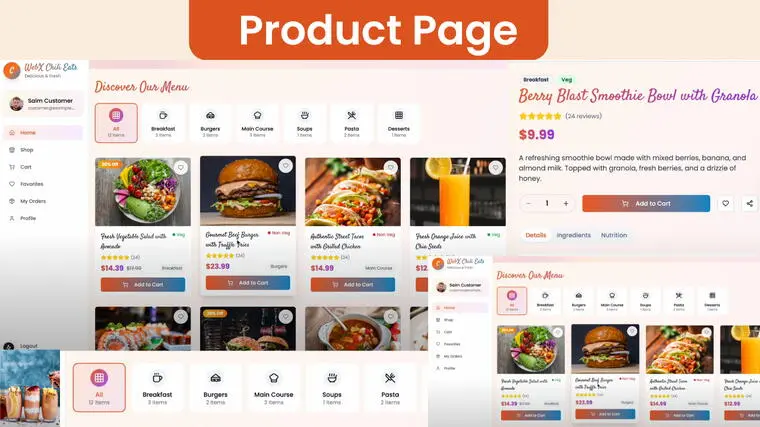
This project isn’t just another code dump — it’s a fully working, production-grade frontend + Backend with professional structure, modular components, and built-in roles.
Tech Stack :
- React.js
- Next.js 15 (App Router)
- Tailwind CSS
- Redux Toolkit
- Framer Motion
- Lucide-react Icons
- Fonts: Satisfy & Poppins
- Backend: NodeJS, ExpressJS
- Multer
- Cloudnary
- MongoDB Atlaas
Key Features
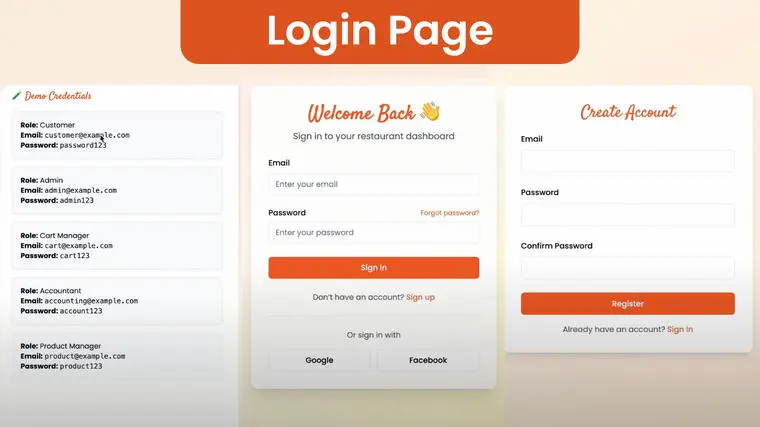
✅ Role-wise Authentication System
✅ Full CRUD Operations (Advanced)
✅ Live Search & Filtering
✅ Fully Responsive (Desktop, Tablet, Mobile)
✅ Modern UI Animations (Framer Motion)
✅ Clean, Well-Commented Code
✅ Separate Dashboards for Each Role
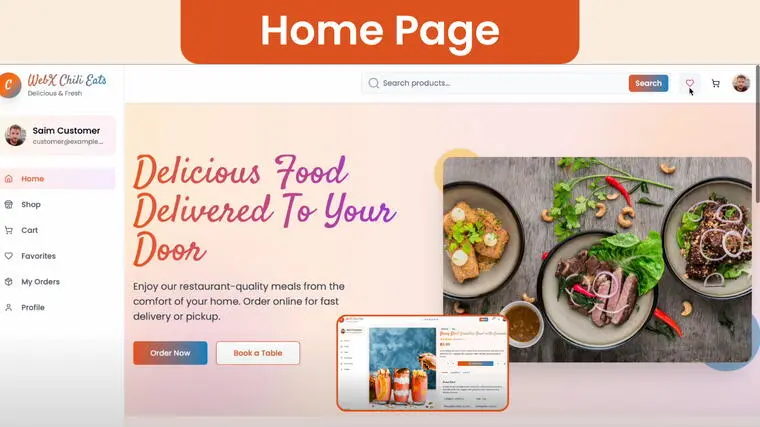
Built-In User Roles and Permissions
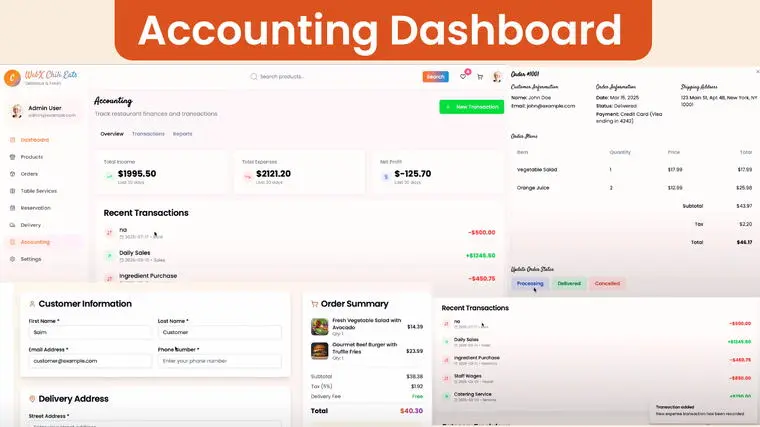
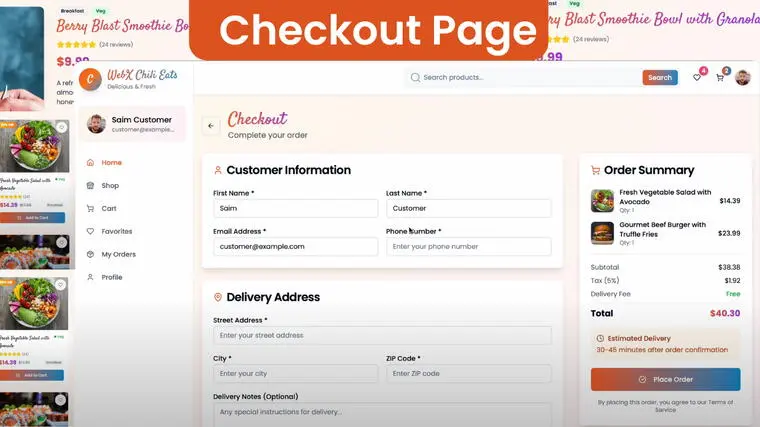
Each role has a completely separate experience and dashboard. No overlaps, no UI clutter.
| Role | Dashboard Access | Features |
|---|---|---|
| Admin | Full Access | Manage users, products, and reports |
| Customer | Limited Access | View orders, place new ones, manage profile |
| Accountant | Billing & Reports | Track revenue, expenses, and transactions |
| Inventory Manager | Product & Stock | Manage and update restaurant inventory |
| Product Manager | Menu Management | Add, edit, delete food items |
| Delivery Boy | Order Fulfillment | Track and update deliveries |
| Finance Manager | Financial Dashboard | Manage profits, salaries, and payments |
Step-by-Step Setup Guide
Follow these simple steps to get your restaurant management system running in minutes.
- Buy the Project
- For India: https://rzp.io/rzp/restaurant
- For International: https://webxlearner.gumroad.com/l/Restaurant
Download the Google Drive ZIP (instant access after payment)
Extract in VS Code
Setup Instructions
Environment Configuration
Update the environment credentials with your own values
(database URL, API keys, port, etc.).
Frontend Setup
Open the termina
Navigate to the frontend folder
cd frontend
Install dependencies:
npm install –legacy-peer-deps
Start the development server
npm run dev
Backend Setup
Stop the frontend server (Ctrl + C).
Navigate to the backend folder:
cd backend
Install dependencies
npm install
Start the backend server
npm start
👉 Buy Now For India : https://rzp.io/rzp/restaurant
👉 Buy Now For Global : https://webxlearner.gumroad.com/l/Restaurant
Who Should Use This Project
This project is ideal for:
- Final Year Students
- MERN/React Developers
- Freelancers & Agencies
- Restaurant Owners & POS Builders
- SaaS Product Teams
If you’re looking for a clean, role-based restaurant management project with source code, this is made for you.
Q1: Is this project suitable for college submissions?
Absolutely. It follows modular architecture, includes documentation, and looks professional.
Q2: Does it require a backend or database?
Yes. It uses NodeJS+ MongoDb for data management, perfect for College Project and portfolio work.
Q3: Can I connect it to a backend later?
Yes. You can easily integrate MongoDB, Firebase, or any REST API.
Q4: What’s included in the purchase?
You get:
Full Next.js + React source code
Setup guide
Documentation PDF
Pre-filled demo credentials
Q5: Is my payment secure?
Yes. Payments are handled safely via Razorpay (India) and Gumroad (International).
Q6: What if I need help during setup?
24/7 support is available via phone, WhatsApp, and email (see below).
Developer’s Note: The Real Experience
When I started designing this dashboard, my goal wasn’t just to make it functional — I wanted it to look modern and premium.
Every card, transition, and hover animation was designed using Framer Motion to give users a smooth, app-like feel.
Working late nights fine-tuning the layout taught me that UI and logic go hand in hand.
Many users have already used this code in client demos and student portfolios — and landed freelance gigs because of it.
Payment, Support & Instant Access
💳 India Payment via Razorpay : https://rzp.io/rzp/restaurant
🌍 International Payment via Gumroad : https://webxlearner.gumroad.com/l/Restaurant
You’ll receive:
- Google Drive download link
- Documentation and README
- Instant setup support
📞 Support Contacts:
Call: +91 90271 30674
WhatsApp: +91 96431 87413
Email: support@webxlearner.com
Conclusion
If you’re searching for a restaurant management system project source code that’s clean, fast, and ready to use — this is it.
Built entirely with Next.js, React, Tailwind CSS, and Framer Motion, it’s the perfect combination of functionality and design.