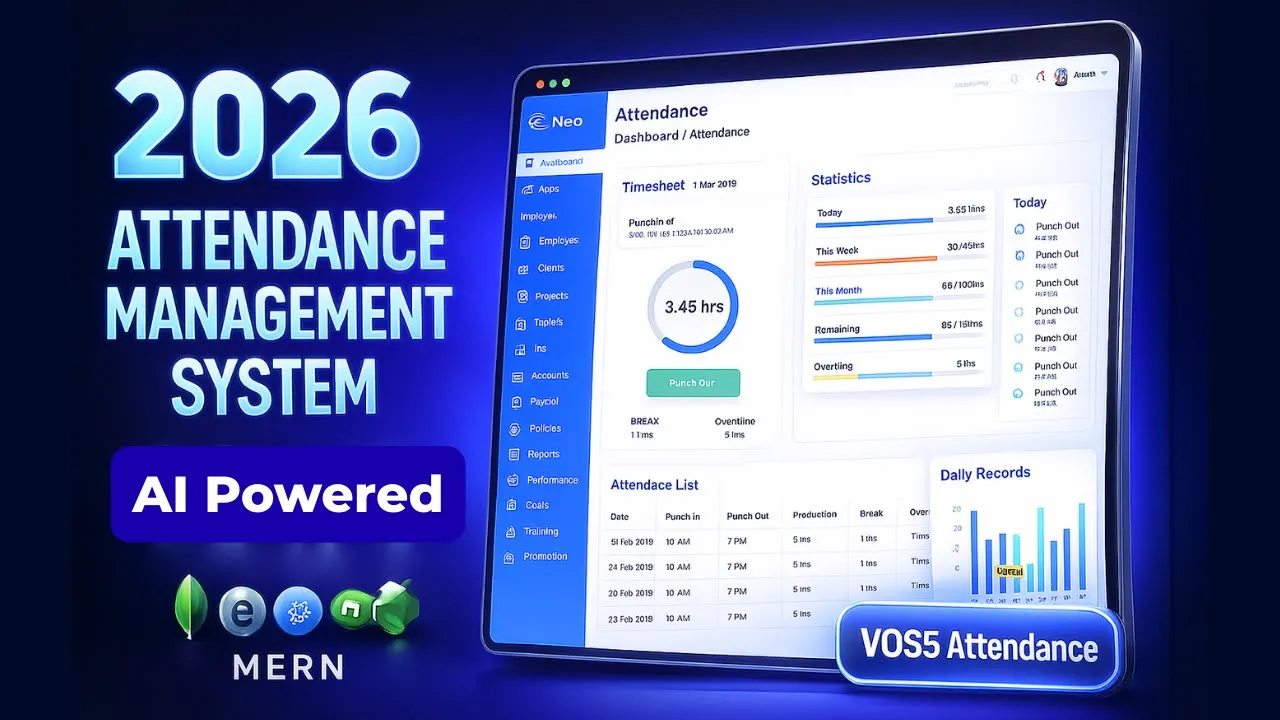
Managing attendance manually becomes a problem the moment a school grows beyond a few classes. Sheets get messy, reports take time, and accuracy depends too much on humans.
This project solves that with a QR code based attendance management system designed for real school workflows, not just demos. Attendance can be marked using QR scan or manually. Roles are clearly separated. Reports are printable. And the system works at an actual school scale.
This is not a toy project. It is a complete school-level system.
What Problem This QR code based attendance management system Solves
Most schools face the same issues:
- Manual attendance takes time every day
- Teachers and admins need different access levels
- Student data handling becomes painful beyond a few hundred records
- Reports are hard to generate weekly or monthly
- There is no transparency for students
This system addresses all of that with a structured, role-based approach.
How the Solution Works (High-Level Flow)
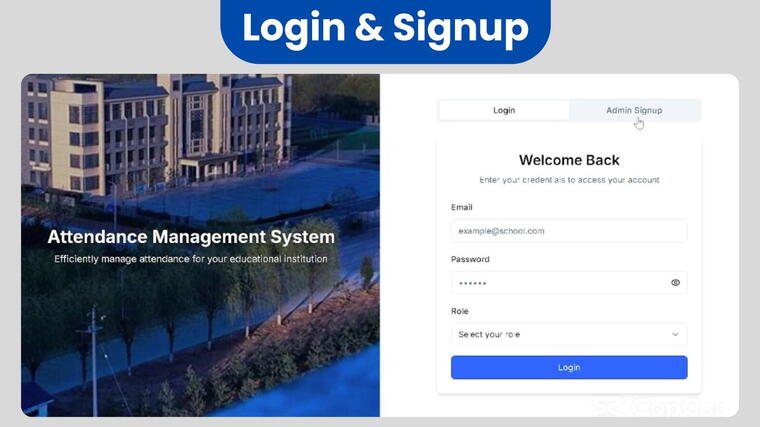
- Admin creates a school and logs in securely
- Classes, sections, teachers, and students are created
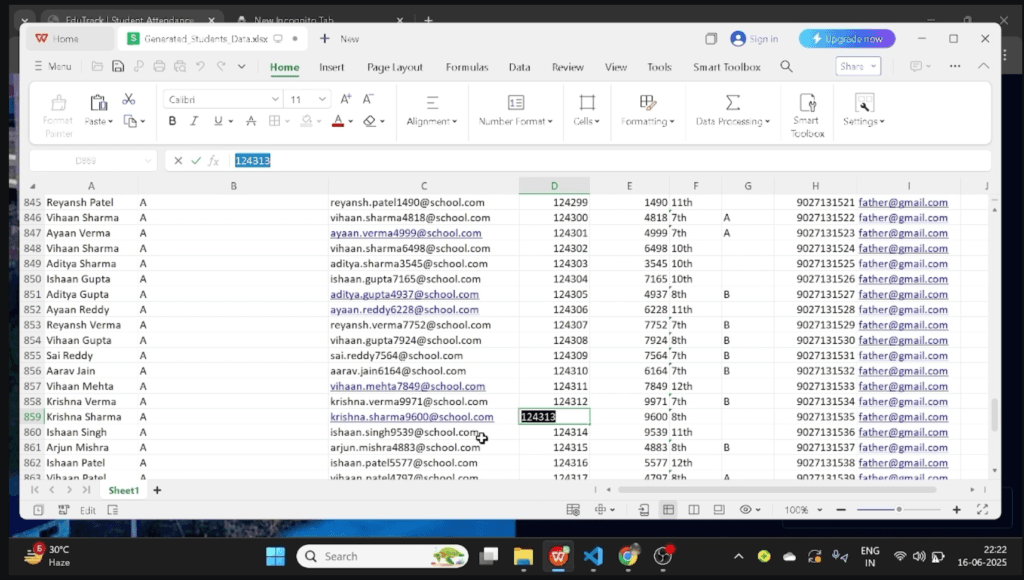
- Students are uploaded in bulk using Excel
- Each student gets a unique QR code automatically
- Attendance is marked via QR scan or manual selection
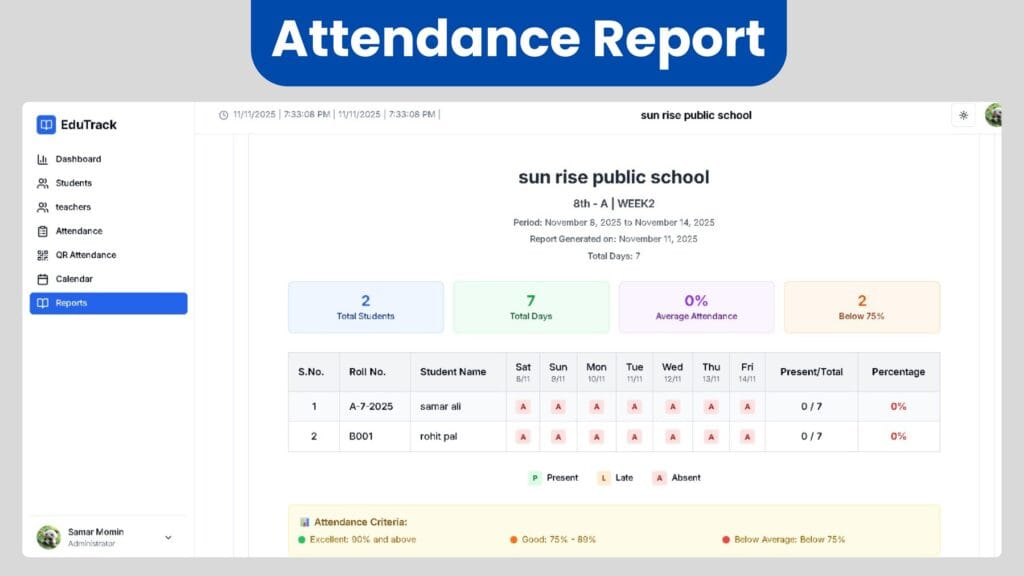
- Weekly and monthly reports are generated and printed
Everything is permission controlled.
Core Features Overview
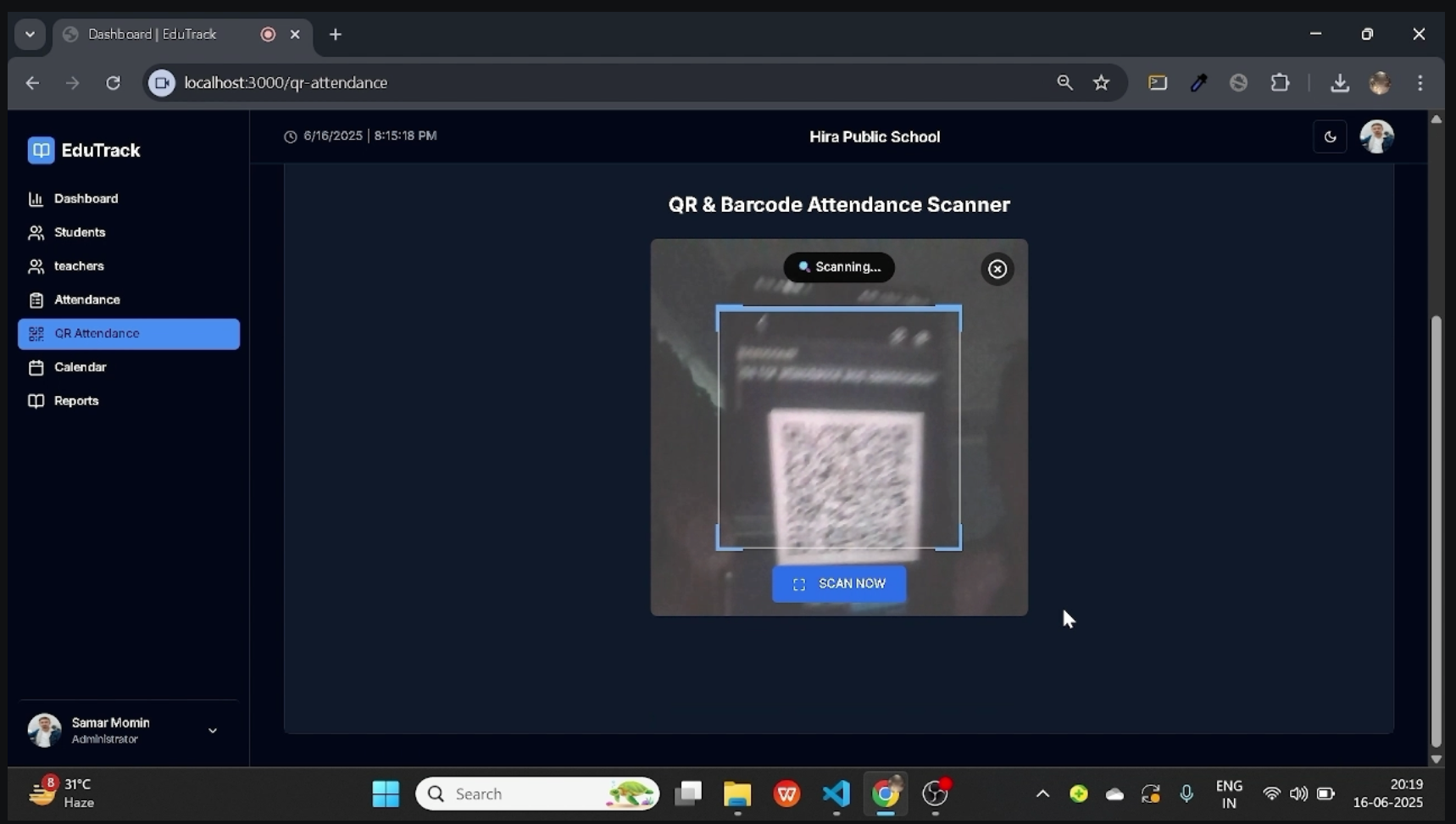
QR Code and Manual Attendance
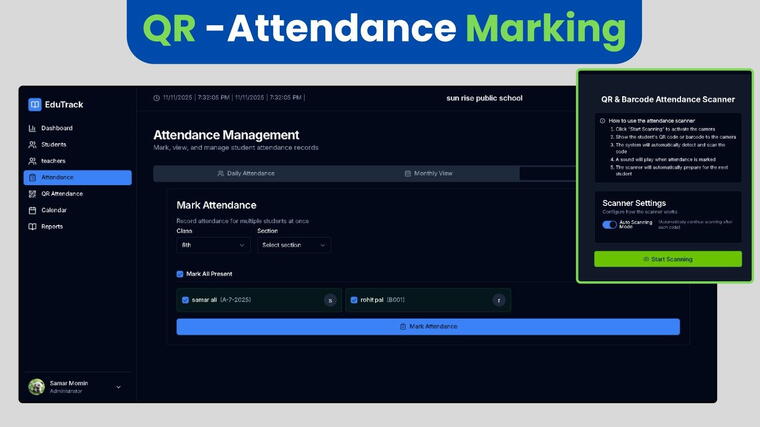
- Every student has a unique QR code and barcode
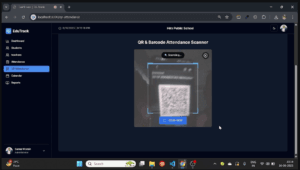
- Attendance can be marked by scanning the QR code
- Manual attendance is also supported
- Prevents duplicate or accidental marking
Bulk Student Upload (Excel)
- Download ready-made Excel template
- Upload 100 to 4000+ students at once
- Automatic processing and validation
- Pagination, search, filter, and bulk delete supported
This is designed for real schools, not small datasets.
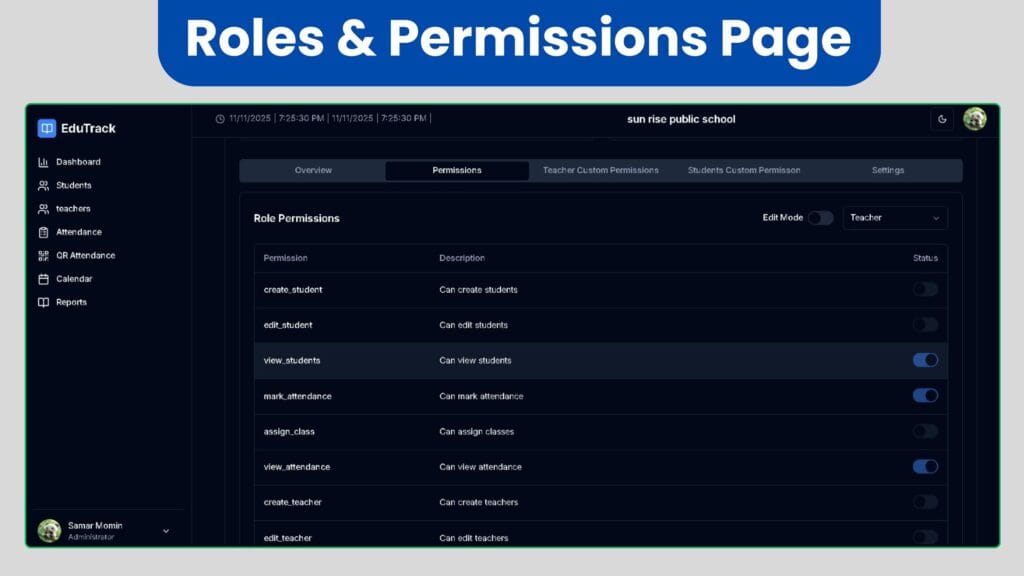
Role-Based Access Control (RBAC)
The system is built around strict role separation.
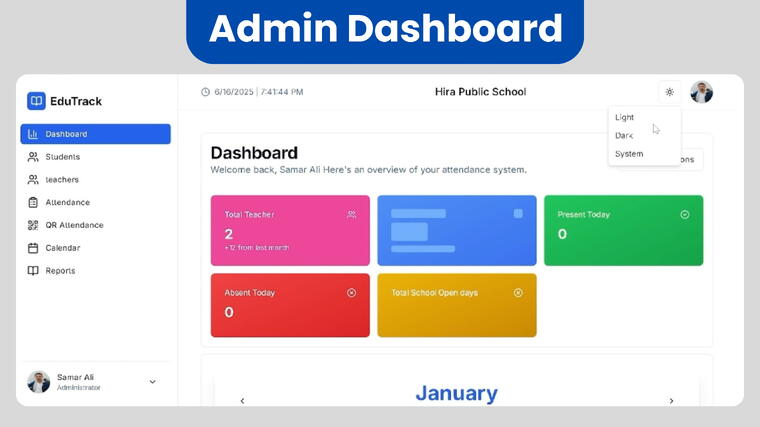
Admin
- Full dashboard access
- Create schools, classes, sections
- Manage teachers and students
- Assign permissions
- Generate all reports
Teacher
- Can only see assigned classes
- Attendance marking access based on permission
- No admin dashboard access
- Reports access only if enabled
Student
- View own attendance
- Monthly calendar view
- Profile edit based on permission
- Holiday visibility
This avoids misuse and keeps data secure.
System Architecture Explanation
Frontend Layer
- Role-based UI rendering
- Protected routes
- Light and dark mode support
- Real-time permission checks
Backend Layer
- Secure authentication
- Role and permission validation
- Attendance logic handling
- Bulk data processing
Database Layer
- Optimized student and attendance records
- Indexed class and date-based queries
- Scalable for large student counts
Each layer is designed to fail safely if permissions are missing.
Technology Stack Used
- Frontend: React.js, Next.js
- Backend: Node.js, Express.js
- Database: MongoDB
- Authentication: Secure role-based login
- UI: Light mode and dark mode support
This stack allows scalability and fast UI performance.
Attendance Logic (Real Business Flow)
- Attendance is date-based, not session-based
- Each scan is validated against student ID and date
- Duplicate attendance for the same day is blocked
- Manual override is permission-controlled
- Holidays are excluded automatically from reports
This matches how schools actually function.
Attendance Reports and Analytics
- Daily attendance summary
- Weekly attendance reports
- Monthly attendance reports
- Class-wise and section-wise breakdown
- Printable reports
Admins can directly print or download reports.
Holiday Management
- Add holidays individually or in bulk
- Holidays reflect in student calendars
- Attendance is auto-adjusted
- Visible to students and teachers
This avoids confusion during report generation.
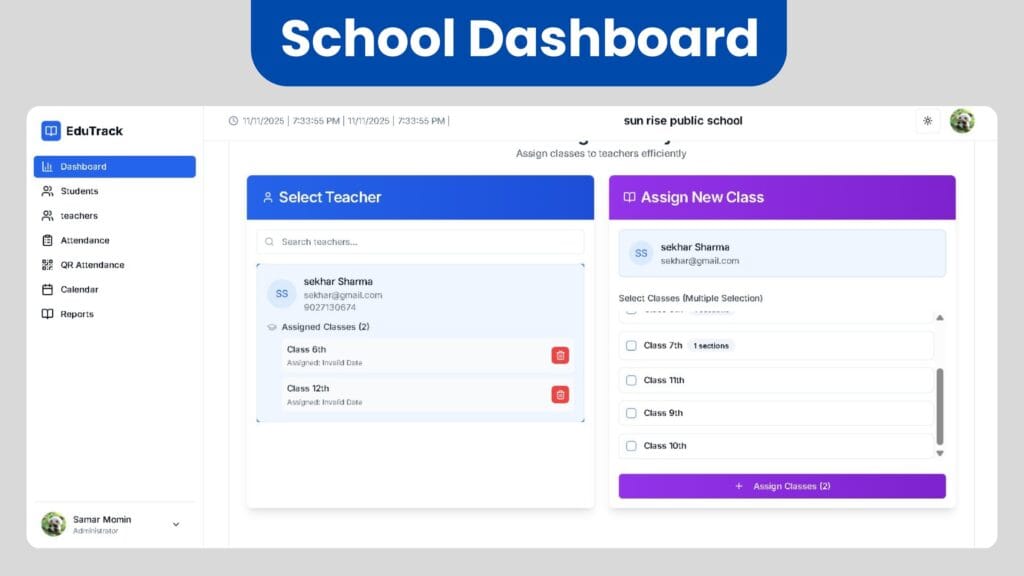
Teacher-Class Assignment System
- Teachers can be assigned multiple classes
- Assignment is visual and easy to manage
- Permissions apply instantly after assignment
- Teachers only see what they are assigned
This keeps responsibilities clear.
Use Cases
Students
- Check daily and monthly attendance
- See holidays
- Update profile if permitted
Freelancers
- Sell as a complete school solution
- Customize UI or features
- Deploy for local institutions
Startups
- Use as MVP for EdTech products
- Extend to fees, exams, results
Agencies
- White-label for schools
- Offer AMC or hosting services
Availability and Pricing
This system is available as a complete school-level solution, not a template.
Pricing depends on:
- Number of schools
- Custom features
- Hosting and deployment needs
For demos or customization, direct discussion is recommended.
Is QR attendance mandatory?
No. Attendance can be marked manually or via QR.
Can it handle thousands of students?
Yes. Bulk uploads and optimized queries support large data.
Can teachers see the admin dashboard?
No. Admin dashboard is strictly admin-only.
Are reports printable?
Yes. Weekly and monthly reports can be printed directly.
Can students edit their profiles?
Only if permission is enabled by admin.
Final Note
This system is built from a developer’s perspective, focusing on real workflows, permissions, and scale.
It works equally well as:
- A production-ready school system
- A portfolio-level MERN project
- A base for commercial deployment
If you need a demo, customization, or deployment help, you can reach out without pressure or sales talk.
Email: Support@webxlearner.com
This is how attendance systems should work